Channel Integration Framework (I)

So for starters, the title is somewhat of a mouthful, right? Try saying ‘Channel Integration Framework’ several times fast, and you’ll end up with some VERY interesting sounding words. Thankfully, people and organisations working with it usually shorten it to ‘CIF’. So that’s what I’m going to do as well (which will also hopefully prevent any RSI whilst I’m typing this all out).

The definition of CIF according to Microsoft is:

The Dynamics 365 Channel Integration Framework is a cloud-to-cloud extensible framework to integrate third-party channel providers with Dynamics 365 model-driven app using a browser-based JavaScript API library.

Now, for the technically minded (isn’t that all of us?), CIF is a set of API’s (methods, events & protocols) that enable developers to build their own solutions, and integrate them with Dynamics 365.
Examples of these would be a communication widget that’s running on a 3rd party provider cloud system, but that can surface and interact with Dynamics 365.

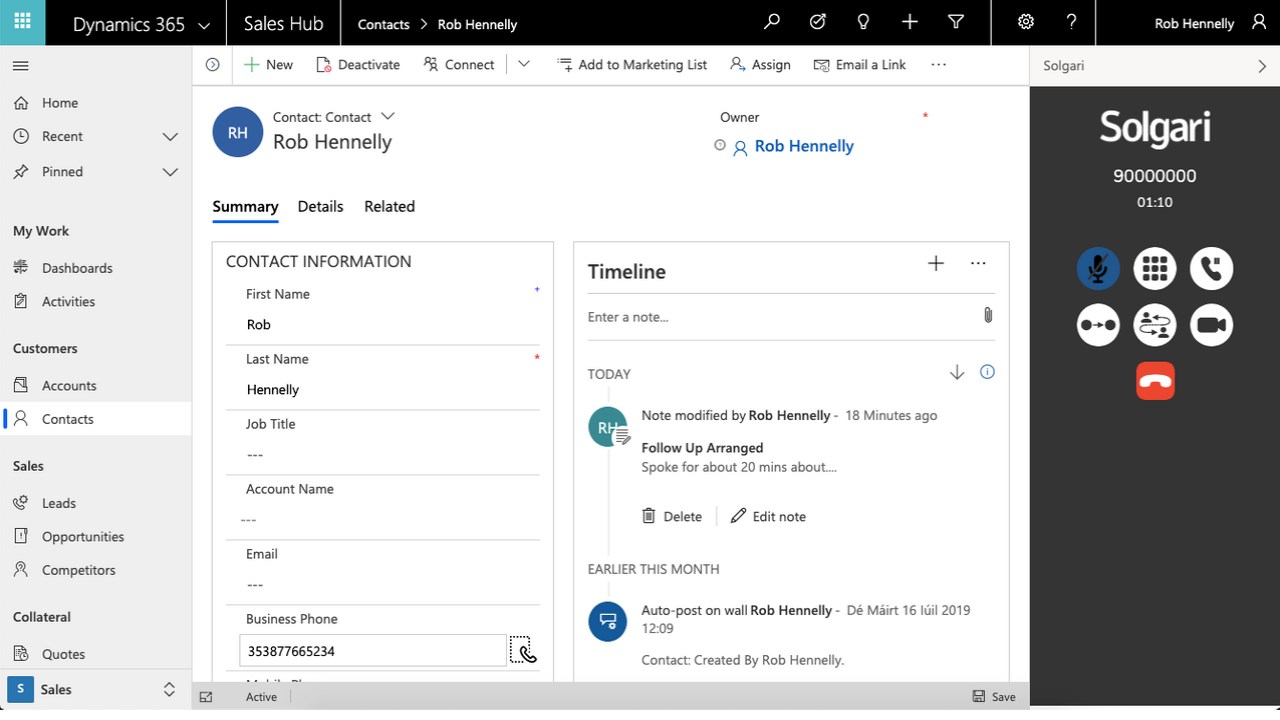
There are multiple partners out there who are doing this, such as Solgari. The immediate benefits of this is that additional functionality can be provided for customers that Microsoft hasn’t built into the system (yet!). An example of one of the functionalities provided by Solgari is the ability to dial a number directly from the Contact record (telephony):

Before CIF was available, it was usually an immense headache to integrate a 3rd party application solution into the system. It could be done of course, but was something that you had to be REALLY dedicated to doing, with all of the time, efforts and costs that it would involve.

With it being launched, many people breathed a massive sigh of relief, and then started to look around for partners who had solutions that supported it. There are now several Microsoft partners who offer solutions that integrate with CIF, and through this extend the functionality.

The CIF framework offered the following benefits:

  • It provides an extensible framework to integrate third-party cloud-based channel providers or channel aggregators with Dynamics 365 model-driven app (not Canvas)
  • It’s channel agnostic. Ie channels such as voice, video, chat, co-browse etc can be built as long as there’s a Javascript-based widget available
  • It’s not just a single direction flow of data; it allows two way communication. This therefore allows both inbound and outbound data
  • It exposes Javascript API’s (note the item above about it being a Javascript based widget)
  • Deployment is easy (well, as easy as any deployment can be!). Deployment is also the same across all apps/widgets – it follows a standard process
  • Plug & Play! It’s now very easy to have multiple different providers integrated, rather than being limited to a single provider
  • Dynamics 365 model driven app agnostic – once the channel has been built and deployed, you can then enable it on the model-driven app that you’re wanting to use it with, based on business requirements
  • Not reliant on operating system or web browser – it’s not reliant on a specific hardware/OS/browser configuration (obviously the browser needs to have the appropriate Javascript security settings enabled, or else it won’t work)
  • Screen pop! Popouts are available to display customer information that can help agents with their customer conversations and service.

The architecture behind CIF is as follows:

High-level architecture diagram of Dynamics 365 Channel Integration Framework
  1. The Dynamics 365 environment is where the CIF app is present to create and manage the required configurations
  2. The single-session Dynamics 365 model-driven app exposes the CIF panel to host the 3rd party widget
  3. The CIF Adapter enables the communication between a single-session model-driven app and the channel provider solution
  4. The web-based communication channel (2rd party) is hosted in the widget that the CIF provides. This is multi-purpose; it’s possible to host chat, email, or telephony channels of your choice
  5. The Channel Provider is the service that you want to integrate and interact with using the CIF. Channel capabilities are specific to the channel provider (ie a 3rd party solution that only supports chat won’t be able to support telephony etc!)

So essentially by using 3rd party solutions that integrate with CIF, it’s possible to have customer service offerings covering things like:

  • Telephony
  • SMS
  • Chat
  • Social media

This is really great, and is really the starting point for taking customer service to the next level. Companies want to be able to easily and quickly support their customers across all possible channels, as forcing them into using a specific channel doesn’t always work well, and can in fact be counter-productive.

Now, all of the above is of course amazing, and really great. The MAIN drawback is that this was CIF 1.0…..and it’s not possible to load a CIF 1.0 widget into Omnichannel! Aarghhh!!! It’s only possible to use 1.0 widgets with model-driven apps, which Omnichannel is not (more on that another time). So it’s possible to have chat or telephony integrating with Accounts, Contacts etc.

However, don’t despair yet. Microsoft has released CIF 2.0, which DOES integrate with Omnichannel. So stick around, and I’ll be putting up a post around how that works (I know – such a teaser!).

Excelling in Customer Service

I was out with some friends from the Microsoft technical community over the weekend, and obviously we got to talking about what we’re passionate about, our visions and values, and what we’re trying to achieve – in essence, what drives us.

From my side of things, I believe very strongly in the vision of excelling in customer service. It’s one of the main reasons that I started this blog, to be able to share my passion for it with others, and help them with getting along the journey on this as well. Obviously I also talk about other things in the technical universe, and have some fun along the way as well (which is also very important!), but ultimately I generally try to have my material centred around customer service.

Now it might seem obvious as to why customer service is so important. After all, we all want to have the best experience possible.

Close-up of Human Hand

But hold on – take a moment or two, and ask yourself exactly what excelling in customer service actually means to you? What comes to mind when you say it to yourself, and what visions are conjured up?

Having spoken with many people along the way, some of the answers that come out of this exercise can be:

  • Being able to be understand by the retailer/service provider, and feeling that my custom is actually appreciated
  • Being able to resolve any issues quickly and easily, without having delays or mis-understandings
  • Knowing that they value me, and go above/beyond in what they’re providing
  • Being able to call up to check on the status of a support case, and the customer service agent seeing my past history; not that they have to ask me absolutely everything again, and start at the very beginning!

Now flip the scenario around, and imagine that you’re providing a service, or a brand. What does excellent customer service mean to you, and why is it so important?

Again, some of the common themes and concepts that come out of this include:

  • Knowing that my customers like my service, and will stay loyal
  • My customers aren’t just about the price that they pay. Even if we’re charging more than others, they appreciate the support and additional actions that we undertake for them
  • Our clients know that we’ll do whatever is necessary to handle any issues that occur

There are plenty of examples of companies who have not just good, but great customer service. I’ve experienced a few myself over the years.

There’s the amazing example of an Amazon support representative who took the initiative in a support conversation to say that they’re Thor (a Norse god). The customer wanted to play along, and well, the rest can be seen below:

Did the support agent solve the problem? Yes. Did the customer walk away feeling that the situation was resolved? Yes. But…did the customer feel that they were engaged and had a positive support experience, and would continue with the provider? YES!!

I had a support session once myself with Amazon (unfortunately I don’t have a screenshot of it anymore) where the support session turned into comparing different fruits, and the benefits of each. Was it germane to the support session? Nope – but I came out of it feeling that the agent was really trying to understand me, and go above/beyond the general support role.

In today’s day and age, where there are so many competitors in markets, it’s the customer service that REALLY can make a specific brand or service provider stand out. It’s this that ensures that customers stay loyal, feel rewarded and empowered, and even recommend to others (which is, at the end of the day, absolutely free marketing for the company!).

Two great examples of this have been demonstrated by Lego and Trader Joe’s:

Lego

Losing a favourite toy feels devastating to a young child. Longtime Lego fan Luka Apps spent all of his Christmas money on a Ninjago (Lego ninja). Against his dad’s advisement, he brought his Ninjago on a shopping trip … and lost it. Luka wrote a letter to Lego explaining his loss and assuring the Lego staff that he would take extra-special care of his action figure if they sent him another one:

The response he received from Lego customer support representative Richard was nothing short of amazing. Richard told Luke that he had talked to Sensei Wu (a Ninjago character), writing:

Trader Joe’s

An elderly man, 89 years of age, was snowed in at his Pennsylvanian home around the holidays, and his daughter was worried that he wasn’t going to have access to enough food due to the impending storm and bad weather in the area.

After calling multiple stores in a desperate attempt to find anyone who would deliver to her father’s home, she finally got hold of someone at Trader Joe’s, who told her that they also do not deliver … normally.

Given the extreme circumstance, they told her that they would gladly deliver directly to his home, and even suggested additional delivery items that would fit perfectly with his special low-sodium diet.

After the daughter placed the order for the food, the employee on the phone told her that she didn’t need to worry about the price; the food would be delivered free of charge. The employee then wished her a Merry Christmas.

Less than 30 minutes later the food was at the man’s doorstep — for free!
In refusing to let red tape get in the way of a customer in need, Trader Joe’s shows that customer service doesn’t need to be about the fanfare; it can simply be about doing the right thing.

The above two examples show how companies can go above and beyond, and deliver stellar customer service. In these stories, did they make anything on it financially? Well no, not immediately. But the customer appreciation and loyalty, not to mention the (eventual) publicity, is priceless. Customers WANT to have a company or service provider that would do this sort of thing for them in an emergency.

Having been involved with the Microsoft Dynamics CRM/365 product for over a decade now, I’ve carefully followed the path that it’s taken, and where the roadmap seems to be pointing to.

Now, Unified Service Desk (USD) has been around for a while, and it’s a really good product. Neil Parkhurst has written extensively on the subject over the years (take a look at https://neilparkhurst.com/ for more information around it). Omnichannel is, in my opinion, NOT a replacement for USD, though it could play a part in it (one of the reasons it’s not a replacement is because Omnichannel can’t connect to legacy on-premise systems, whereas USD can).

However, I believe that for companies that have a cloud-centric approach, Omnichannel is really the key answer to bringing all of their customer engagements together. Together with the enterprise-grade routing that’s available within it, it can enable and empower organisations like nothing before (well, nothing without having to write a LOT of very custom code, of course).

Being able to effortlessly serve communication across all contact channels, seeing the history of these interactions, and building the customer appreciation and loyalty really is what is key for all businesses now. It’s what will make them stand out from their competition, draw customers in, and put themselves ahead of everyone else

three black escalators

This is where Omnichannel for Dynamics 365 has been positioned, and the value that it will bring to all. It’s an amazing journey, and it’s only getting started!

Omnichannel – Wave 1 2020

A week ago, the release notes for Wave 1 2020 come out, covering both Dynamics 365 ( https://docs.microsoft.com/en-gb/dynamics365-release-plan/2020wave1/) and the Power Platform ( https://docs.microsoft.com/en-gb/power-platform-release-plan/2020wave1/). Well, people have been VERY eagerly waiting for these, and my news feeds started to blow up with people commenting on the new features that are coming out.

I’ve been very carefully reading through them to see what’s applicable for Omnichannel, as well as researching other sources. The great news is that there’s some really cool stuff that’s going to be released within this (or before!) for Omnichannel – to date we’ve had a good start as a baseline for the product, and this is going to enhance it further (obviously there are going to be continual developments, and it’s really reassuring to see the effort that Microsoft are putting in to this to get it right).

Incidentally, this is how Microsoft actually talk about Omnichannel within the release notes:

A true omnichannel experience in the product will preserve context and provide a continuous experience as customers seamlessly switch across self-service, peer-to-peer service, and assisted-service channels. An empowered agent experience will provide an application experience that is unified across channels and line-of-business (LOB) applications, is contextual to the engagement, and comes with productivity tools to resolve issues faster

So, without further ado, here we go! (I’m including the dates that are applicable to each item for reference)

Digital messaging support for Microsoft Teams

Public Preview – April 2020. No current date for GA release

Companies that are already using Teams for communications will be able to use it for internal support delivery, thereby reducing the number the tools that the business needs to manage. This will allow employees to raise items internally through Teams, which will feed through to teams using Omnichannel for internal company purposes.

  • The Teams channel will be able to be configured through the Omnichannel Administration Hub
  • Employees can get support using Teams
  • Agents (the internal support team/s) will be able to use the Omnichannel for Customer Service Hub to answer and serve the employees
  • Reports can be run on these interactions to help enable the support centre/s to be run effectively and efficiently.

Digital messaging support for Whatsapp (Twilio)

Public Preview – April 2020. No current date for GA release

The communication methods will expand to include the ability to have communications through WhatsApp Messenger. This is a widely used mobile app throughout the world, and people will be able to use it to contact companies directly

  • The WhatsApp channel will be able to be added & configured in the Omnichannel Administration Hub
  • Support agents will access and serve customers through the Omnichannel for Customer Service Hub

Digital messaging support for LINE

Image result for line software"

GA – April 2020

Businesses will be able to add a communication channel for LINE communications (see https://en.wikipedia.org/wiki/Line_(software) for further information about LINE).

  • The LINE channel will be able to be added & configured in the Omnichannel Administration Hub
  • Support agents will access and serve customers through the Omnichannel for Customer Service Hub

Digital messaging support for SMS (Twilio)

Image result for sms"

GA – April 2020

Currently Omnichannel support SMS through Telesign. Wave 1 will include additional capabilities to access SMS through Twilio. Customers will require a Telio SMS subscription to leverage this.

  • The SMS channel will be able to be added & configured in the Omnichannel Administration Hub, using Twilio as a provider
  • Support agents will access and serve customers through the Omnichannel for Customer Service Hub

Digital messaging support for WeChat

Image result for WeChat"

GA – April 2020

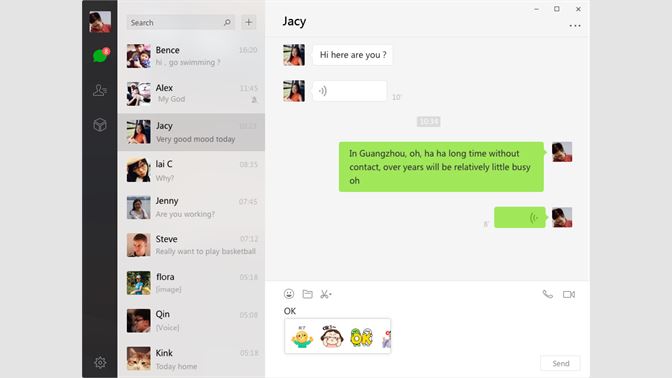
Any company that has business in China will be aware of WeChat. It’s similar to WhatsApp Messenger, through with admittedly greater capabilities (people can pay for goods using WeChat, transfer money, and carry out a variety of other tasks).

This release will add native WeChat capabilities for Omnichannel, which will be of major benefit to companies that have Chinese clients.

  • The WeChat channel will be able to be added & configured in the Omnichannel Administration Hub
  • Support agents will access and serve customers through the Omnichannel for Customer Service Hub

Digital messaging support for Twitter

Twitter website on desktop

GA – April 2020

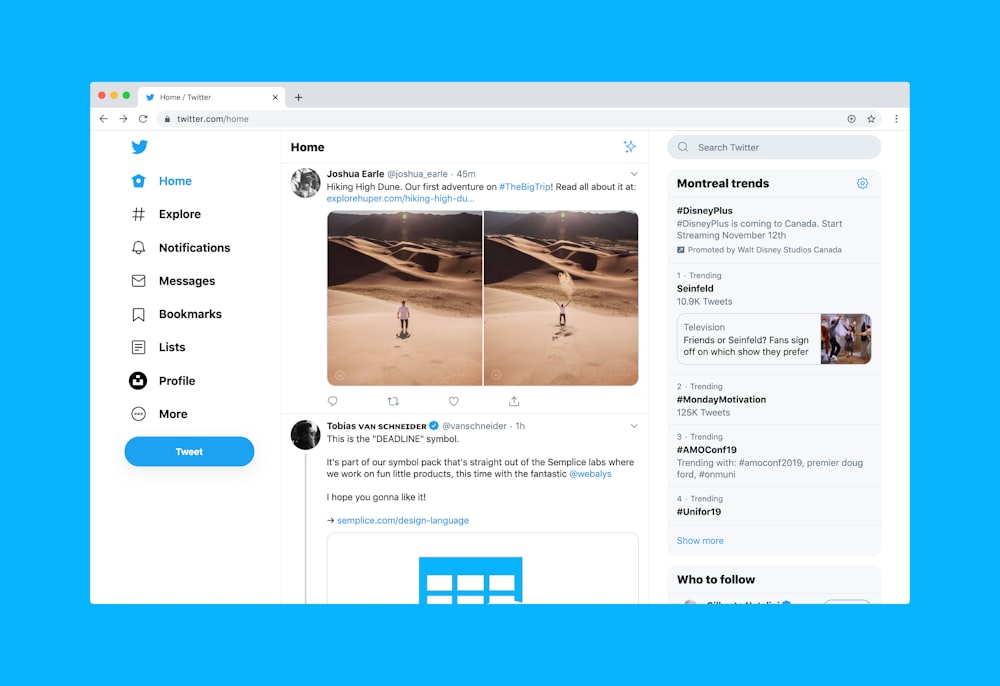
Wave 1 will allow customers to engage with companies through Twitter, using Twitter Direct Message (DM’s). The end-user experience will be directly through Twitter, whilst the agent experience will be using Omnichannel

  • The Twitter Direct Message channel will be able to be added & configured in the Omnichannel Administration Hub
  • Support agents will access and serve customers through the Omnichannel for Customer Service Hub

Raise live chat conversations to a voice/video call

GA – April 2020

Expanded channel choices will allow customers to raise a conversation from the live chat experience to a voice/video call. This in turn will allow queries to be expedited and resolved in less time, as well as allowing agents to better understand what the customer is trying to achieve, and creating a more personal interaction with the customer.

  • Chats will be able to be configured in the Omnichannel Administration Hub to enable the elevation of the chat to voice and/or video
  • Agents will be able to elevate a text chat to a voice and/or video conversation during a support session
  • Common audio & video controls to be available for agents (eg camera on/off, mute/unmute)

Co-browse capabilities through 3rd party providers

Public Preview – January 2020. GA – April 2020

One of the most frustrating things about providing support to someone is that occasionally you wish you could actually see their screen, just to understand what the customer is actually doing! Well, this is coming to Omnichannel!

Agents can better help customers when customers can show agents what’s happening on their device. In this release, API & related artifacts are being provided that will allow partners to integrate existing 3rd party co-browse solutions. There are already several partners working together with Microsoft to get this out there, and I’m sure that there will be more over time.

Remote assistance capabilities through 3rd party providers

Public Preview – January 2020. GA – April 2020

Following on from the item about regarding co-browsing, the next logical step is to be able to have a support agent accessing a device to address an issue, rather than trying to walk the customer through what could be some quite technical steps.

In this release, API & related artifacts are being provided that will allow partners to integrate existing 3rd party co-browse solutions. There are already several partners working together with Microsoft to integrate their products with Omnichannel

All in all, I’d say that the above capabilities that will be coming to Omnichannel are really encouraging, and I can’t wait to play (and talk through) them! I’m also starting to wonder what goodies will be dropping for Wave 2!

Quick Responses in Omnichannel

We’ve all had these types of scenarios. You know, when you’re needing to type the same response (or similar ones) time and time and time again to customers. Or alternatively queries can be grouped together under different topics, and you just wish there was a way to quickly and easily answer these, rather than manually answering each customer.

Thankfully, there is indeed such functionality within Omnichannel! No longer do you need to type out general responses (or indeed custom responses) each and every time that a customer requests some information about something, or when helping them out.

In Omnichannel, these are called ‘Quick Responses’, and are really incredibly easy to use.

As a default, the system ships with some quick responses already loaded in, and available to use. This covers usual circumstances such as ‘Hello, how may I assist you?’, ‘Your patience is appreciated. I will be with you shortly’, and also ‘This chat service is permission based. Before a chat begins, no data is collected about you beyond the information which websites usually collect. Once an invitation is accepted, all chats are monitored for quality assurance purposes. Any information gathered is for internal use only.’

In fact, not only are these pre-loaded in English, they’re actually pre-loaded in 23 other languages as well! (at the time of writing, that is – I’m sure there will be more to come)

Now these are all very well and good for generic customer service. What makes this really cool though is that you can create your own ones, and then use them.

Setting them up is really simple and straightforward. Make sure that you’re in the Omnichannel Administration Hub, scroll down in the left side navigation bar to ‘Quick Replies’ (in the ‘Agent Experience’ section), click it, and then click the ‘New’ button on menu ribbon bar:

Give the record a title to identify it by, select a local, and then enter the message that you’re wanting to use:

Now all the agent needs to do in the chat window is use the ‘/q’ command (without the quotation characters, of course). Typing this will bring up the Quick Response window in the chat session.

The agent can then type in a keyword, and the list of available quick replies will be filtered to just those that have the keyword in it:

Note that due to the way in which Omnichannel works, it can sometimes take a little time before the new Quick Reply entries will appear for the agent to use in the chat interface

Clicking on the line that they want to use will then populate the text from that quick reply into the chat window. The agent can modify it if they want to, and then send it to the customer:

This is a really helpful feature, and can assist greatly in speedier responses to customers, as well as cutting down on the time needed for interactions!

Microsoft and the Not-For-Profit Sector

This is a slightly different post to the ones that I usually do, for a number of reasons. Firstly, it’s something that I’ve been wanting to do a post on for a while. Secondly, the release notes for Wave 1 2020 drops today, and I’m obviously wanting to do a write-up on the details from it as soon as I can!

So, the Not For Profit (NFP) sector. Well, organisations within this sector can vary, of course. There are classic examples such as Greenpeace and the National Trust (for those people outside of the UK, take a look at http://www.nationaltrust.org.uk/ for more information on what this is, and what it does.

There are also many other examples, namely charities. Now there are a great many types of charities, ranging from the Great Ormond Street Children’s Charity (Great Ormond Street Hospital, or GOSH as it’s known for short, as a world-renowned children’s hospital based in London, UK) to local small community charities.

Where am I going with all of this? Well, it’s quite simple actually. Microsoft provides low cost access to their software and offerings, as well as some free items as well. In fact it’s incredible how extensive this can be! (there are of course other organisations that provide similar offerings too, which shouldn’t be forgotten).

As part of my involvement in my local community, I’m the IT administrator for several community charities/organisations (yes – I’m the one they call to reset their password when they’ve forgotten it!!). In my role for them, I’ve used Microsoft offerings such as Office 365, as well as PowerPlatform apps sitting on the CDS to get things working more efficiently.

I had known for a while about the discounted software offerings that were available, such as Office (desktop & cloud versions) and other software.

There’s a global company called Techsoup (https://www.techsoup.org/) who’s mission is to build a dynamic bridge that enables civil society organisations and social change agents around the world to gain effective access to the resources they need to design and implement technology solutions for a more equitable planet. Companies such as Microsoft partner with Techsoup, and once a charity is qualified and confirmed by Techsoup as meeting all of the necessary criteria, they can sign up for and purchase software. It’s really amazing to see the extensive catalogue available, and can really help the smaller organisations (who otherwise would be paying a lot for software licensing).

However, Microsoft takes this to another level. There’s a specific Microsoft NFP website (https://nonprofit.microsoft.com/) at which NFP organisations can sign up for, to gain access to resources that they wouldn’t necessarily find elsewhere.

Microsoft states there that ‘Microsoft is dedicated to making the benefits of world-class cloud technology accessible and affordable for nonprofits. We offer discounted and donated industry-leading solutions for nonprofits.’

There are currently 5 areas that are offered against:

  • Productivity Applications – this covers Office 365, Dynamics 365 & PowerBI
  • Azure credits – there’s an annual credit available for $3,500
  • Hardware – devices such as the Surface that are available to purchase at a discounted rate
  • LinkedIn for nonprofits – a greatly reduced subscription rate available, along with working directly with the LinkedIn team for fundraising and marketing solutions to drive relationships and awareness of the mission at scale
  • GitHub for nonprofits – including eligibility for a Team account with unlimited private repositories and unlimited users

This is all really great and amazing. What’s even more amazing is that there’s special licensing available around things like Dynamics 365 & the Power Platform, where I’ve been seeing so much growth recently in.

NFP organisations knowing about all of these things could then work forward to use the technology to enable & empower them (yes, this is sort of a catchphrase of me, I know…). They could do this either themselves, with their existing IT people, or super/power users who understand technology. These people could quite easily start learning the skills to use such tools as PowerBI, PowerApps, etc, and see how they could bring the technology to the best usage cases for the organisation.

Alternatively, they could partner (if they’re not doing so already, of course) with implementation providers who specialise in the NFP sector. In the UK, one of the main ones in the Microsoft solutions space is m-hance (https://m-hance.com/). They are well known within the UK for their attention to detail, and their passion for the NFP sector.

Note: For sake of clarity, I have not/do not work for/with m-hance, nor gain anything from any work that they carry out, nor from any company that may wish to engage with them from having read this post

I also personally know one of the people who work there – Mike Hartley (oh yes Mike, I am indeed mentioning you on my blog!). I’ve known Mike for a while now, and he’s one of the most passionate people that I’ve met within the Microsoft communities. I’ve chatted with him one-on-one around both technical and non-technical concepts, and have always been really impressed with how he approaches things. I’ve also attended sessions that he’s presented on, and always walked out with new ideas in mind! He’s just one example of the way in which passion and drive can really TRULY help with social and community items – we’re not even talking major scale, but rather on a local scale to help the people around us.

I have spoken to several organisations that have benefited greatly through services from Microsoft partners who work in this space, and heard how incredible the journey has been. It’s really a wonder to see their technological journey, and see how they’re making people’s lives better, one day at a time.

So….if you work in a charity, or know a charity that you think might benefit from this – speak to your company, mention this to them, and spread the word. One of the concepts that I try to practice daily is the concept of ‘pay it forward’ – do/help someone else, not because you’re wanting them to then do something for you, but altruistically. This can have an immeasurable effect over time!

Looking back at Dynamics in the mid 2000’s

The last week has been somewhat hectic – I was at Ignite for 2 days, started on a mentorship program (as a participant), and have been investigating some of the new functionality for Omnichannel, etc.

As a result, I’ve decided to post a video that I came across a little while back. It’s from the mid-2000’s, and takes place with Satya Nadella, who at the time was the CVP (Corporate Vice President) of the Dynamics team.

Nowadays the Dynamics and PowerPlatform space is just so large, both in terms of breadth as well as depth, that it’s almost unbelievable. At the time of writing this post there are over 30 ‘First Party’ apps – I remember when there was only one!

When watching this video, I can see the beginning of how Microsoft was planning on invigorating & expanding the Business Application side of the company, along with how important and key it was being envisioned to be at the time (and still is, of course)

Now Satya is the CEO of Microsoft, and offerings such as the Power Platform have had billions of dollars invested in them over the last few years. It’s really incredible how far things have come over the last 15 years…and who knows how they’ll continue to develop!

Microsoft Ignite The Tour (2020): London

Well, firstly this isn’t about Omnichannel. Or any specific deep dive into technology. What is IS about is the first time I’ve gone to a Microsoft conference/exhibition. And it was amazingly awesomely wonderful.

Having seen several other write-ups from people who visited it, I thought I’d write my own, to share my perspectives and thoughts on it.

The queues to get in!

Now, it’s not the first time I’ve been to exhibitions and/or conferences. Far from it – I go to several each year (in fact these are usually where I get my t-shirts and pens/pencils from – I rarely buy these at all! My wife despairs sometimes of my very ‘tech-orientated’ t-shirt collection). I’ve frequented Service Desk (https://www.servicedeskshow.com/) for over a decade, as well as InfoSec (https://www.infosecurityeurope.com/), Counter Terror (https://www.ctexpo.co.uk/) and DsEI (https://www.dsei.co.uk/) as well.

I’ve even been to CES (https://www.ces.tech/) in Las Vegas a few years back. Now if there’s ever a place where consumer technology is showcased, that is truly the place for it. I even managed to get myself upgraded to a Press Pass there, which came with a cool backpack, early access to the exhibition floor, and free WiFi.

Ignite was different. True, it included people speaking about Microsoft technology (and these were really and truly awesome people, some of whom I know personally), showcasing and demoing it.

EOfVQ4qWsAA3ecx (1024×768)
The famous Keith ‘I’m a Ginger’ Whatling

But what it also included, and had a deep emphasis on was Community. There were many different User Groups present, talking about how we can all enable and support each other. There were mini-sessions by speakers, un-conferences, Q&A sessions, etc. Many people from all over the UK, as well as abroad, took part in this. It really emphasised for me just how important our technical communities are, and how much we can learn from each other from them!

Of course, I attended many of the sessions that were happening. I tried to mix these up, aiming to attend both professional learning as well as personal development learning. My schedule was as follows:

Day 1:

  • Enabling everyone to digitize apps and processes with Power Apps and the Power Platform
  • Intelligent automation with Microsoft Power Automate
  • #HumansofIT with Tech Superpowers: How Heathrow’s Security Officer Launched 12 #PowerApps
  • Connecting Power Apps, Microsoft Power Automate, Power BI, and the Common Data Service with data
  • Practicing Kindness in Tech: 5 Steps to Build a Culture of Giving Back and Helping Others in the Community
  • Supervisor experiences in Omnichannel

Day 2:

  • PowerPlatform London User Group sessions
  • Humans of IT Empower Breakfast Panel – Interconnected Data for an Interconnected Planet: The Future of Agritech
  • Imposter Syndrom Banishing Spell
  • Azure AI & Dynamics 365 Virtual Agent for Property and Real Estate Market use case: Delivering significant cost reduction and tangible revenue growth
  • The Power People of London Town: Power Apps and Power Automate
  • Configuring and managing Dynamics 365 Sales and Dynamics 365 Marketing – Establish connected Sales and Marketing
  • Responding to incidents
  • From Geek to Chic: Build Your Brand & Elevate Your Career in 5 Steps

There were fabulous speakers – really too many to mention (especially as I also managed to network with various others). From FINALLY meeting Samit Saini (it’s only taken 6 months) in person to hearing Dona Sarkar and Dux Raymond, from Rory Neary to Mark Wilcock, it truly was a pleasure to listen to what they had to say.

Dona, Samit & Duc

The networking opportunities available were also unbelievable. With an estimated 5000 people attending, I met up with others who I had only corresponded with digitally to date. Even more wonderful was meeting new people, sharing ideas and concepts, and already keeping in touch and corresponding with in the short time since Ignite finished here.

The sense of community involvement was indescribable. People were sharing resources, suggesting who to follow online, and who to reach out to if they had any questions about anything.

Don’t worry – someone added me to this later on!

It was also truly great to see the launch of the #PowerPlatypus. I’m going to unashamedly take full credit for this marvellous creature coming to fruition (well, until anyone official from Microsoft can prove otherwise), due to the Twitter poll that I put out last year:

I’ve come away with so much learned in such a short space of time, and many notes on much more that I need to look into. Best of all, I’ve come away with many further connections, and I’m really looking forward to seeing what we can all come up with.

One really useful thing to note as well about Ignite – everyone who attended gets a free Microsoft Exam voucher that they can use to take any exam with!. To redeem this, find the exam you’d like to take, log in to schedule it, and then you should be given an option to use it:

This is so wonderful, and I really do appreciate Microsoft providing this (especially as Ignite the Tour is free to attend!).

I’ve already made a note to attend the tour next year (as I won’t be able to attend the main Ignite conference), and are looking forward to seeing what it brings, and who I’ll be able to meet there. Perhaps even, I might apply to speak at a session!

How to handle error AADSTS65001 when trying to configure Omnichannel for Dynamics 365

I’ve been contacted by several people over the last few days who have been experiencing an error when trying to get Omnichannel configured. It looks something like:

The actual text of the error is: AADSTS65001: The user or administrator has not consented to use the application with ID ’18cc9627-776c-4142-b8f5-9cd83517e3bb’ named ‘Omnichannel for Customer Service’. Send an interactive authorization request for this user and resource. Trace ID: 36dd2358-2d41-463c-a2f6-013038636400 Correlation ID: 9ac093cd-e525-4bb4-b277-3ac8e7478b6b Timestamp: 2020-01-07 12:14:15Z

No matter what people tried, they still got it. I went through the process of setting up a completely new environment – lo and behold, I got the same issue! (the screenshot above is actually from my system). Incidentally this is why it’s so important to be able to replicate an issue, so that you can confirm what’s actually causing it to happen.

Reaching out to some very helpful people at Microsoft, I (thankfully) got a quick response from them

Essentially, there are some issues with Azure Active Directory (AAD) consent flows for applications at the moment (it’s not specific to Omnichannel). There’s a fix that’s being worked on, but no idea when it will be finished and rolled out.

They were nice enough to share with me how to address it, which is what I’m now sharing here! To fix this issue, carry out the following steps to manually grant permissions to the application:

1. In your Azure Portal, search for ‘Azure Active Directory’ in the search bar, click on it when it comes up, and navigate to Enterprise Applications in the left hand bar. Alternatively you can use https://ms.portal.azure.com/#blade/Microsoft_AAD_IAM/StartboardApplicationsMenuBlade/AllApps/menuId/to get you straight there.

Click it to open, and you’ll see a list of the enterprise applications that use AAD.

2. You’ll then want to search for the application that has the issue (in this case, Omnichannel)

You’ll want to double-check that the ‘Application ID’ is the SAME as the Application ID that you’re getting in the error message, especially if there are multiple results coming up in the search list!

Once you’re sure that it’s the correct application, click it to open it.

3. You’ll see a section in the left bar called ‘Security’, and under this should be an entry for ‘Permissions’. When this opens, you’ll see a button in the main window called ‘Grant admin consent for User‘.

4. Click this – it’ll cause a window to pop up, where you’ll grant permissions for the application. Once granted, the window will automatically close.

You can then go back to the place where you were experiencing the error, and it should work!

Microsoft Dynamics 365 Certifications

Having recently completed several exams, including the new MB-900 Fundamentals for Dynamics365, I thought it would be useful to set out how the new exam structure works, and what paths can be taken within it.
This post is meant to be for D365 CE, not for F&O (I’m hoping to do a separate post on that another time).

10 Marketing Certifications That Can Land You a Job at Ladder

The first question that usually comes up around certifications is ‘why should I take the exams – I know how to use/configure/deploy the system!’.
The answer to this is actually quite easy – if you know the stuff, then the exams won’t be too hard for you. They’ll also give you a better overview of things, especially due to the new curriculum (eg including cloud offerings, etc).

Not only is it rewarding for you to take (and pass!) them, it shows that you’re able to do so (and you get cool badges…thanks Microsoft for gamifying things lol).
Additionally it can also help your company to qualify for different Microsoft Partner tiers, which can be quite important in the grand scheme of things (I am NOT going to talk about the recent IUR situation…)

It can also help when applying for a job position, as recruiters will check to see if you’re current with the latest exams. Experience is great of course, but they’ll want to know why you may not have any (recent) exams to show your knowledge.

The first exams in the series that I’d recommend to take are:

The MB-900, as per the name, goes over the fundamentals of Dynamics 365, and also gets you used to the new format (it’s now 60 minutes, with approx 25 questions). There are now drag’n’drop questions, multiple choice answers, and ‘journey style’ questions (these are when the question presented depends on the answer given for the previous question)

The MB-200 exam covers the different deployment types, configurations and integrations, and click-based customisations. It expands on the base that’s set out in the MB-900. 

The next question usually asked is ‘what area/app should I specialise in’?
That’s ALSO quite simple to answer – there are (currently) 4 options available for exams (after the MB-900). These are:

So, pick which one you think would be most suitable to your role, and take them. Of course, that’s not stopping you taking some of the OTHER exams as well – why not try to get the whole set in!

Study tips:

  1. Read the syllabus! Microsoft doesn’t just draw them up randomly – they cover the material needed. They’ve also been through Beta phases where feedback has been given (which Microsoft usually take some note of). It will give you an idea of where the focus is, what’s needed to check, etc
  2. Practise – hands on experience. You really DO need this now. Fire up a trial, start playing around. Use the syllabus as a guide for this – if it says that you need to know about cases (eg case management, case routing, case rules, parent/child cases), then make sure that you DO know how to do these!
  3. Talk to others who are studying at the same time – perhaps try to make a study group. I was fortunate enough to join twice-weekly session for one of my exams, hosted by an amazing Microsoft Trainer.
  4. When taking the exam, if you come across something that you don’t know, and are guessing the answer to – DON’T CHANGE THE ANSWER LATER ON. In this sort of scenario the gut reaction is usually 85% correct, and it’s better to leave it than try to second guess yourself.

Also, don’t stress out about the exams. They’re not the Big Bad Wolf – once you do them, you’ll see that they’re not absolutely crazy. Sure, you may have to guess a question or two, but even very experienced people do that.

Useful resources:

Environments for Projects

As as tech guy, I immediately know what someone is referring to when they’re talking about environments (within a technical context, of course). However there are a large number of (non) technical people who have absolutely no idea what the word ‘environment’ means, leaving aside how they are used.

The aim of this post is therefore to demystify what environments are, the different types, how they’re used, etc.

Image result for technical environment

Caveat: There may be specific circumstances in which these may differ, eg for Dynamics F&O

So firstly – what is an environment?

This is simple to answer – an environment is a full (technical) system. There may be multiple different systems contained within the same environment (or they could be split out). There will be different environments used (more details below) in any company

Incidentally, people may also use the word ‘instance’ instead of ‘environment’.

The next question is – how are environments used?

Thankfully this is also simple to answer – environments are used to enable different parts of the technical system roll-out process. Each environment is unique (and should usually not be connected to each other

Types of environments

There are quite a few different types of environments needed. Listed below are the ones that are usually considered to be MVP (no, not Microsoft Valued Professional….in this context it means Minimum Viable Product)

Development
This is the environment that the development team will use for coding and configuration, as well as initial testing of code
Once code is stable, it will be promoted to the next environment

UAT (User Acceptance Testing)
This environment is where the client/business will access to test the system. Each development item will have a logged story, and these will be tested against. They will either pass (and then be signed off) or not pass (with explanations given as to why they haven’t passed) and be sent back to the development team

Note: It may be possible to use the UAT instance for training, and all client/business users to access it. This will depend greatly on the resources needed, project timeline/progress, etc. It is not usually advised to do this though

Staging
This environment is where data migration is tested out, to ensure that all data from the previous system/s are successfully migrated (with any transformations that may need to take place).

Note: It may be possible to combine the UAT and Staging instances, if the proposed system is very simple and not complicated/large

Production
This is the actual LIVE system for the company

Customisations, code etc are promoted through the different environments with releases. It’s important to ensure that these are carried out properly and scheduled in, especially when applying a release to a production environment. I’ll cover how this should be done, and what things to bear in mind, in a future post.

There are also several other types of environments that may be being used, depending on the type/scale/scope of the project:

Training
This is an instance with all customisations and code (to date) along with data that is used to train all client/business users. Any updates in functionality to test environments would need to be replicated to this environment as well

Integration
Depending on the other system/s that D365 will be exchanging data with (both in and out) it may be necessary to have a specific instance set up to test out the integration with these other components

Support
A clone of the Production environment for use in support cases eg attempting to recreate issues/bugs that have been raised

If you’ve come across any other types of environments, please do comment!